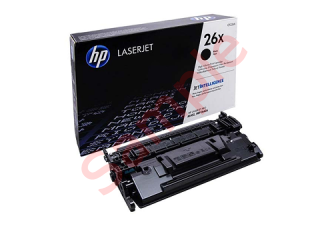
The “Master Cartridge” service center offers printer firmware update services for various printer models.
Master-Cartridge offers a service called printer firmware flashing.
We’ll explain in more detail what this process entails and when it should be used:
Office equipment manufacturers always strive to maximize their profits, and to this end, they install various protective systems on the equipment they sell. For example, let’s say you bought a printer. After using the original cartridge (which typically contains 30% of the factory-filled toner), it will run out after a while, displaying a message that says, “Toner empty—replace cartridge.” The user thinks, “I’ll just refill the cartridge and everything will work again,” but that’s not the case—it’s impossible to make such a replacement due to the security measures in place. Thus, manufacturers force users to purchase new cartridges for their printers, which are by no means cheap.
The specialists at the “Master Cartridge” center can remove the lock by flashing the printer’s firmware; once the protection is removed, your printer will always show the toner cartridge level as 100%. This procedure is performed only once and exclusively at our service center.
That’s how we came up with this know-how: printer firmware updates. Each model requires a customized solution. A printer can be updated using computer software. However, in some cases, the update involves replacing the chip. In such cases, the chip must be removed and the firmware loaded using a special programmer.
Currently, the “Master Cartridge” service center offers printer firmware update services for various printer models. These include well-known brands such as Samsung, HP, Canon, and Xerox. Upon completion of the work, the center’s specialists provide a 1-year warranty on the proper functioning of the printer or MFP
You can contact the “Master Cartridge” service center to receive expert assistance from experienced specialists.

Frequently Asked Questions
We refill laser and inkjet cartridges for printers of all popular brands: HP, Canon, Epson, Samsung, Brother, Xerox and others. If you have doubts about compatibility, contact us and we will help.
In most cases, refilling a cartridge takes up to 30 minutes. The exact time depends on the model, cartridge type and its technical condition. Before refilling, specialists check the main components, clean the cartridge from toner residue and assess wear level. If needed, we offer replacement of parts that may affect print quality. After refilling, cartridges are tested to ensure correct operation and print quality.
Contact us within the warranty period — we will diagnose the cause and fix the issue free of charge. Most often this is related to printer settings rather than refill quality.
Use the printer model search on the website or contact our consultants — specify the device brand and model, and we will select the right cartridge or spare part.
Yes, we offer both original and compatible cartridges. Compatible options allow significant savings without losing print quality — our consultants will help you choose the best option.